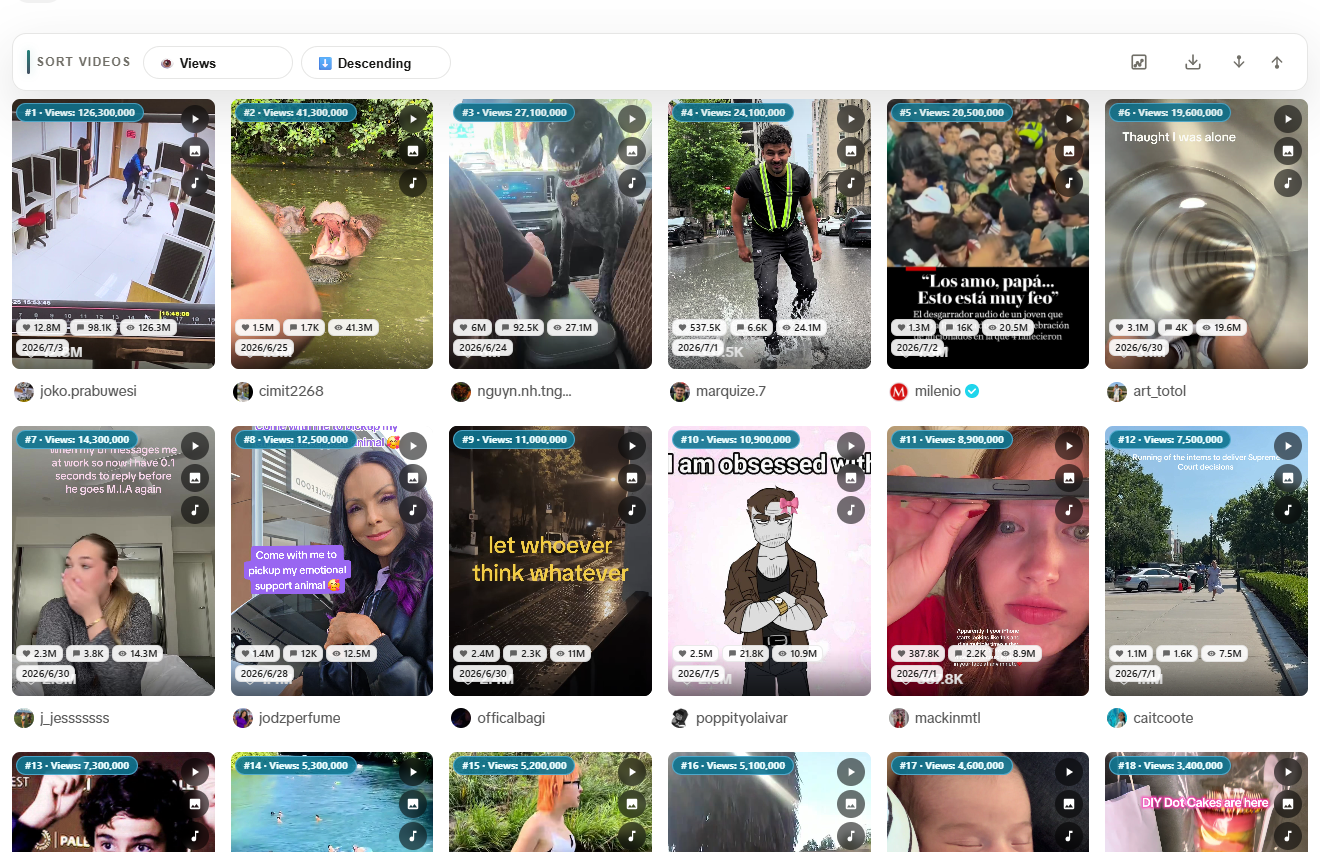
TikTok does not ship a bulk download TikTok without watermark tool for competitor research or MCN archives. The practical fix in 2026 is desktop Chrome: sort the visible video grid by views, shortlist winners, and download selected clips with Sort Feed in one workflow.
Install Sort Feed Chrome Extension Free —sort by views, download selected TikTok videos, export CSV for audits.
For one public TikTok link, use the online TikTok video downloader. It resolves a single URL without the extension; use Sort Feed in Chrome when you need to rank and shortlist many visible videos first.
Why teams bulk-download TikTok videos
Common jobs-to-be-done:
- Cross-posting ops comparing TikTok hooks before adapting for Reels
- MCN reporting keeping selected clips alongside metric exports
- Trend research archiving top performers from a niche hashtag grid
- Editor pipelines handing off MP4 references after a sort pass
Manual saving one video at a time breaks flow. Sort first, download second.
Prerequisites
- Desktop Google Chrome
- Sort Feed Chrome extension installed
- A supported TikTok profile, search, or discovery grid
- Optional Pro for unlimited range and download-all —pricing
Read the dedicated TikTok feed sorter page for platform-specific tips.
Step-by-step: batch download TikTok videos
1. Open a TikTok grid in Chrome
Examples:
- Creator profile with multiple uploads
- Hashtag or search results for your niche
- Any supported page showing a video grid
Scroll until enough posts are loaded. Sort Feed processes visible tiles.
2. Sort TikTok videos by views
- Click the Sort Feed icon
- Choose views (or likes / comments / date)
- Scan the reordered grid—high-view clips should lead the list
For a full sorting walkthrough, see how to sort TikTok by views.
3. Select clips and download
- Pick the videos that survived your shortlist
- Download selected media on the free tier
- On Pro, run download all media in range when the entire sorted set belongs in your archive
4. Export metrics with the same shortlist
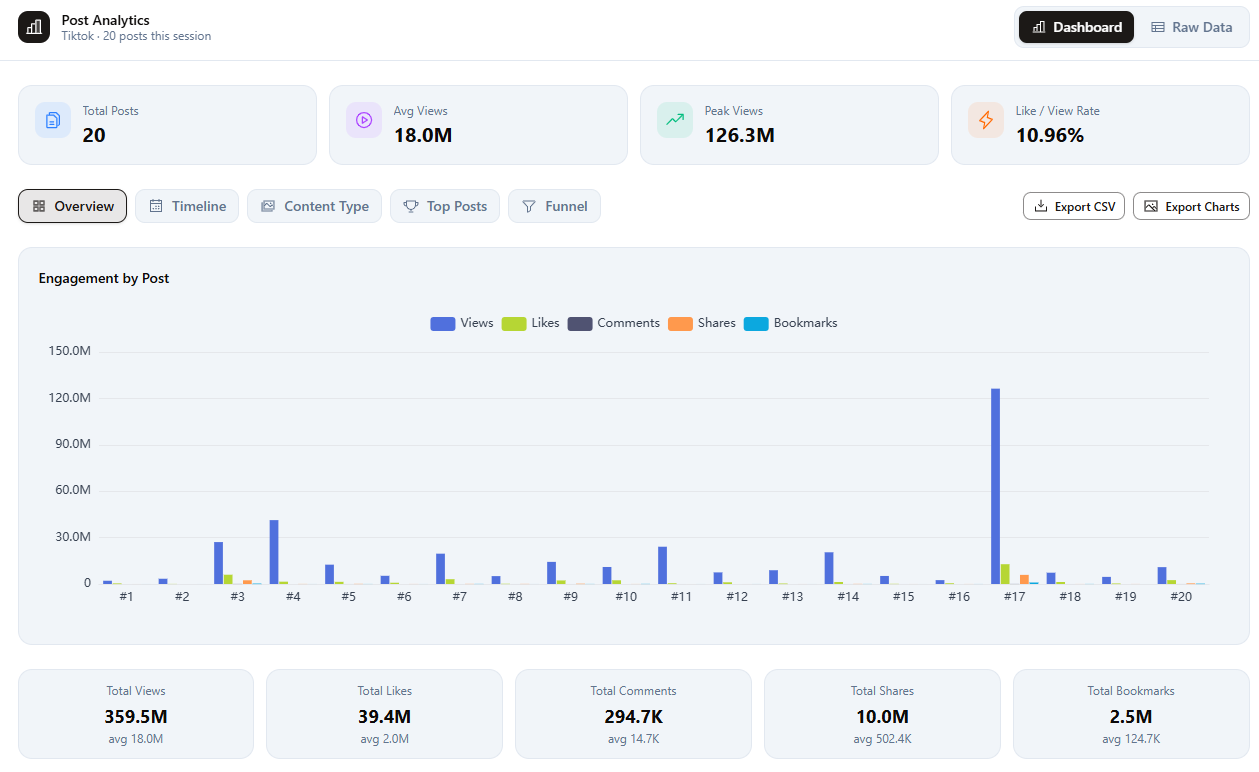
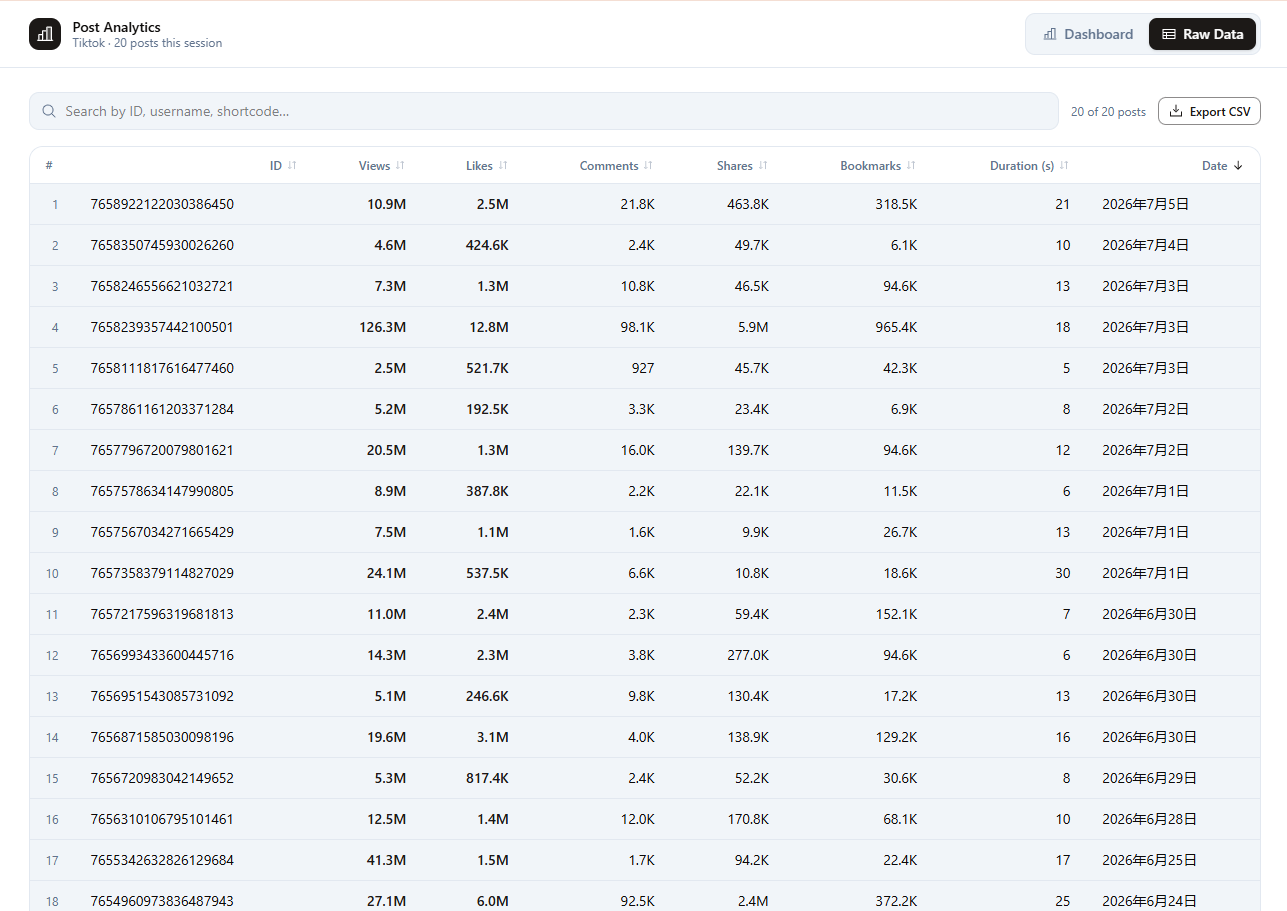
When managers need proof—not just files—export selected rows to CSV, JSON, or Excel on Pro. See CSV export for content audits.
TikTok downloader vs. Sort Feed workflow
| Tool type | Strength | Limit |
|---|---|---|
| Single-URL download sites | One link at a time | No sort, no metrics |
| Sort Feed in Chrome | Sort + metrics + batch selected download | Visible pages only; desktop Chrome |
| Native TikTok app | Personal saves | No competitor bulk export |
Social proof
Public Chrome Web Store listing signals for Sort Feed include a 4.8/5 rating (checked September 23, 2026). Reviewers frequently mention fast loading and smooth TikTok plus Instagram compatibility.
Related guides
Start at Sort Feed on the Chrome Web Store and batch-download your next TikTok shortlist.