TikTok video downloader
Paste a public TikTok video URL to find the available video file. No TikTok account connection or password is required.
Public tiktok.com, vm.tiktok.com, and vt.tiktok.com video links
Full video links and short shares
Use a public tiktok.com/@creator/video/... address, or paste a vm.tiktok.com or vt.tiktok.com share link. The service follows a short link to its public video page before looking for media.
tiktok.com/@creator/video/1234567890vm.tiktok.com/…vt.tiktok.com/…
When a TikTok link cannot be resolved
A share link may expire or redirect to a deleted, private, age-gated, region-restricted, or login-only post. Try the original full video URL and check that it opens while signed out. An available MP4 is not a promise of a watermark-free copy.
How to download a public TikTok video
- 01
Copy the video link
Open a public TikTok video, use Share, and copy its link. Short TikTok share links are supported.
- 02
Paste and resolve
Paste the URL above. The edge service checks the public page and returns the video file TikTok exposes.
- 03
Download the file
Choose the available MP4 option. The file is streamed to your browser and is not stored by Sort Feed.
Use Sort Feed when you need to decide what to download
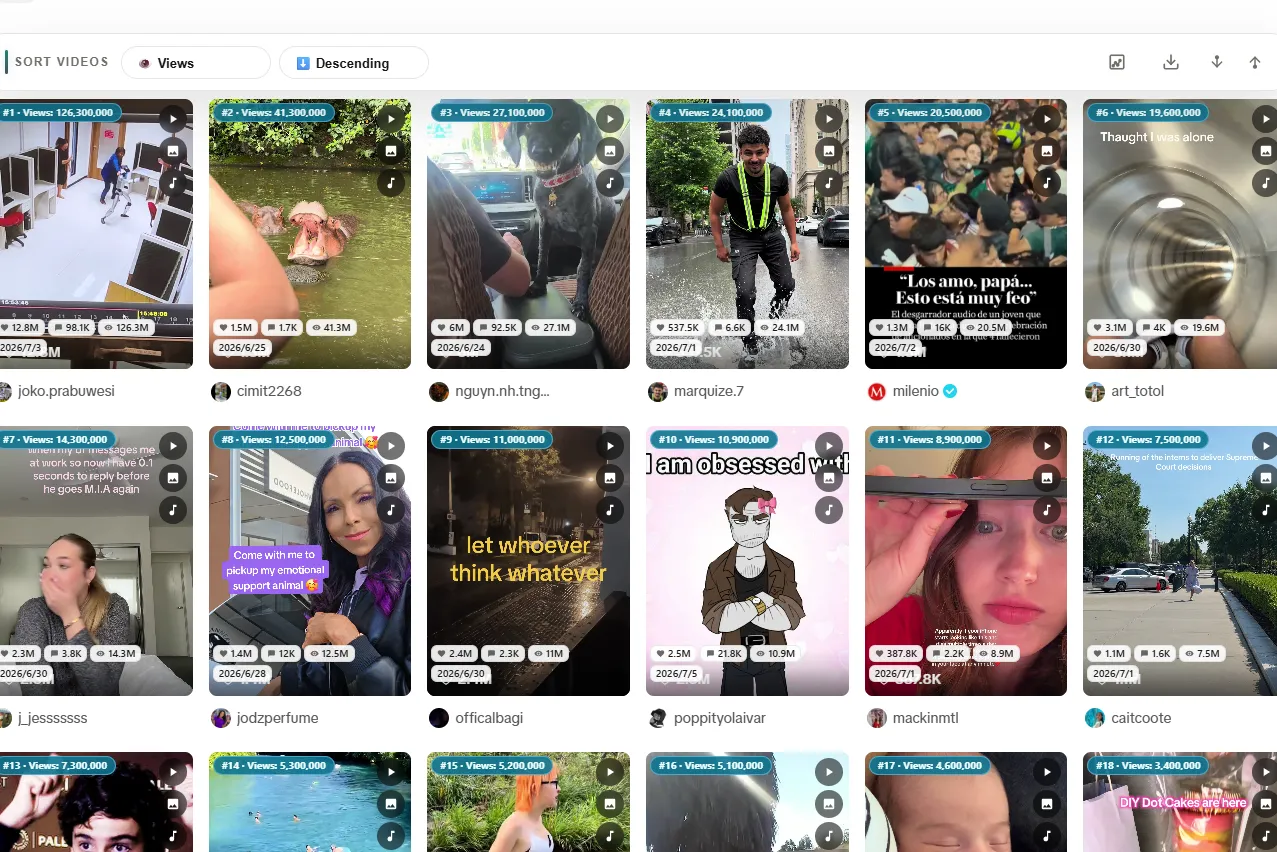
A downloader solves the last step: saving a clip you already chose. Content research usually starts earlier. You may need to scan a creator profile, rank visible videos by views or engagement, compare outliers, and shortlist the strongest examples.
The Sort Feed Chrome extension works on the TikTok pages you already browse. It sorts visible posts and helps you review the winners before you spend time downloading, exporting, or transcribing them.
- Rank visible TikTok videos by views, likes, comments, or date
- Spot high-performing videos before saving files
- Keep the downloader for one-off clips and the extension for repeat research
Download only content you are allowed to use
A public URL does not remove copyright, privacy, publicity, music, or platform-use restrictions. Download your own videos, content released for reuse, or material for which you have the creator or rights holder's permission.
If TikTok changes how a public page exposes its media, a link may temporarily fail. Try the original full video URL first and confirm that the post opens in a private browser window without signing in.
TikTok video downloader FAQ
How do I download a TikTok video from a link?
Copy the URL of a public TikTok video, paste it into the downloader, select Find video, and use the MP4 download option that appears.
Do I need to sign in to TikTok?
No. The downloader only reads public pages that are available without a TikTok login. It cannot access private or follower-only videos.
Are TikTok short links supported?
Yes. vm.tiktok.com and vt.tiktok.com share links are followed to their public tiktok.com video page before extraction.
Does Sort Feed store downloaded videos?
No. The service resolves the public media URL and streams the response to your browser. It does not create a permanent copy in Sort Feed storage.
Why can a public TikTok link fail?
The post may have been deleted, restricted by region or age, require login, or TikTok may have changed its public page format. Short links can also expire.
What is the Sort Feed extension for?
Sort Feed helps researchers and creators rank the TikTok videos visible in desktop Chrome. Use it to identify strong clips before downloading individual examples.