Sort, export, and download faster in Chrome

Run the same workflow across supported profile, search, saved, and discovery pages. Sort first, compare performance, then export or download the posts that matter.

01 / sort + export

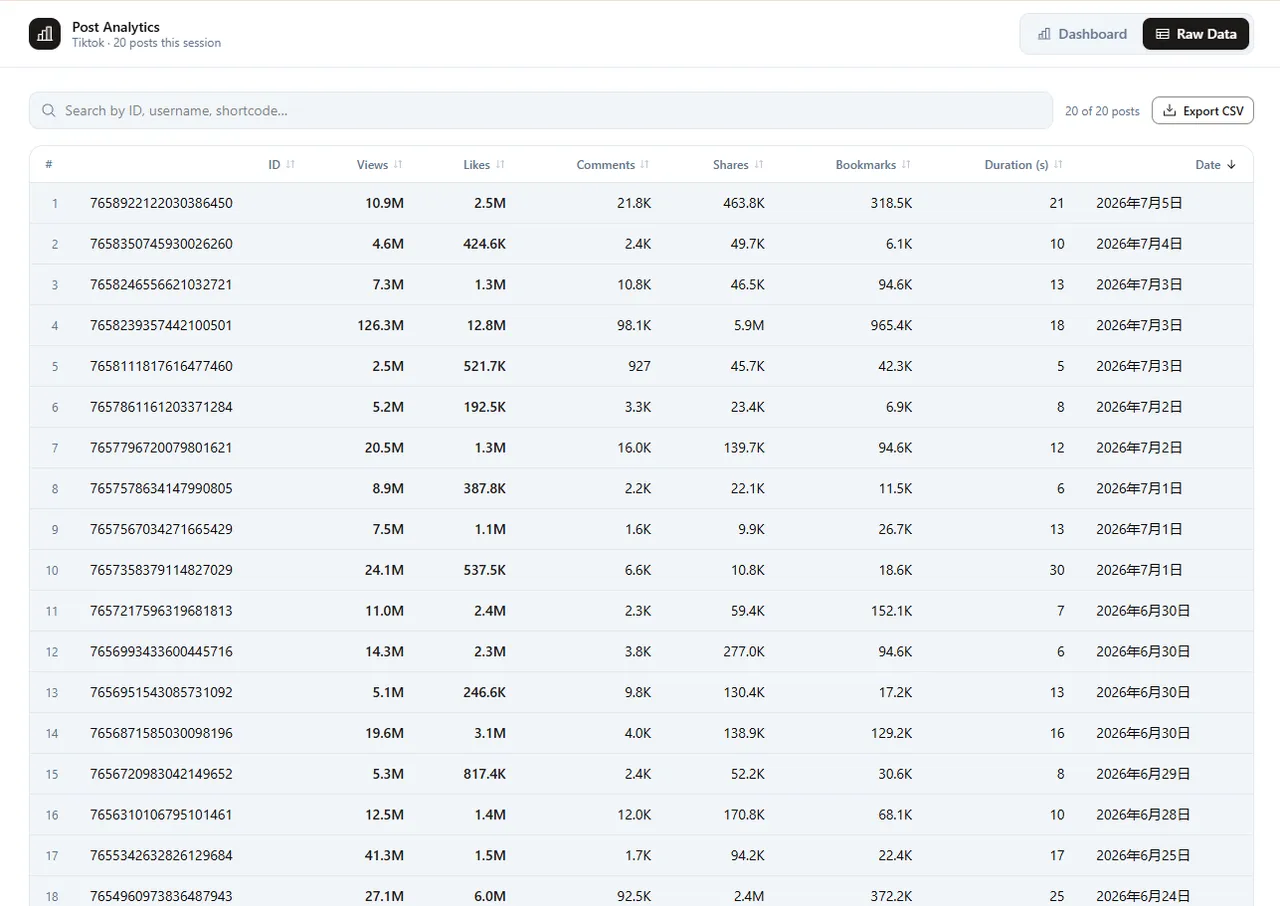
Sort and export

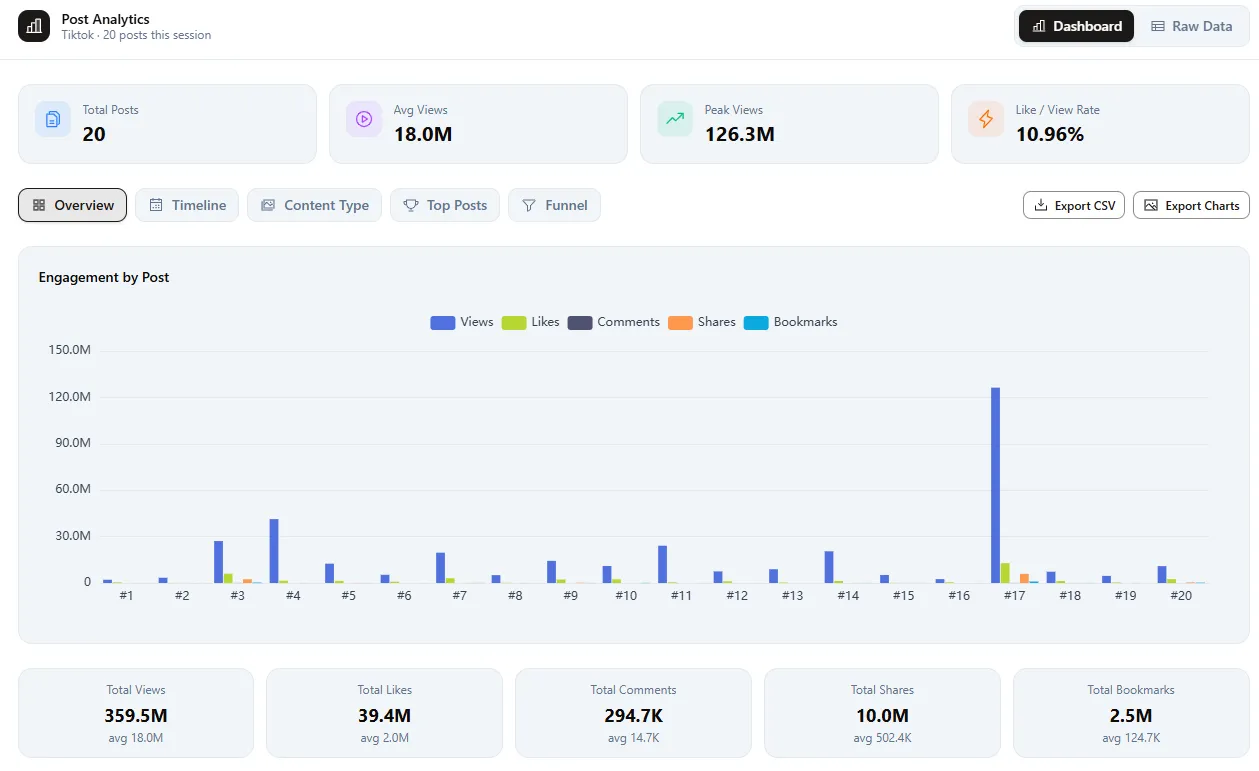
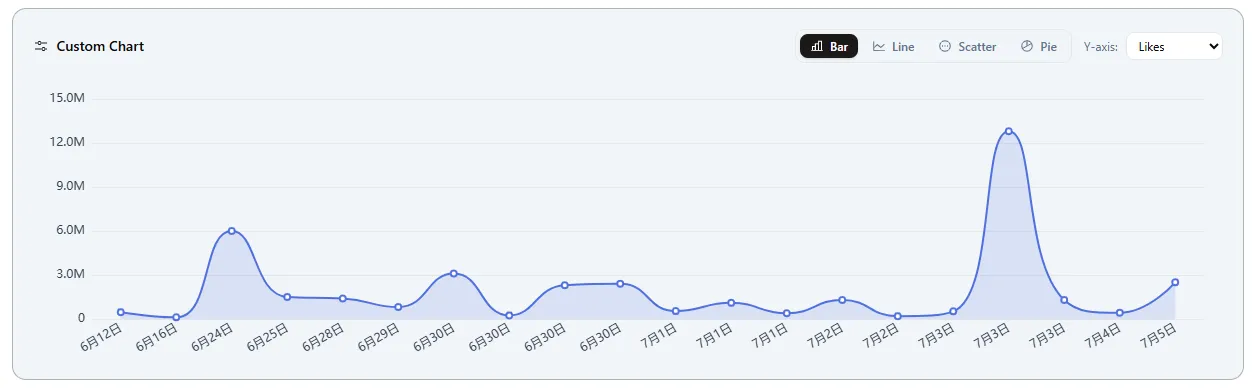
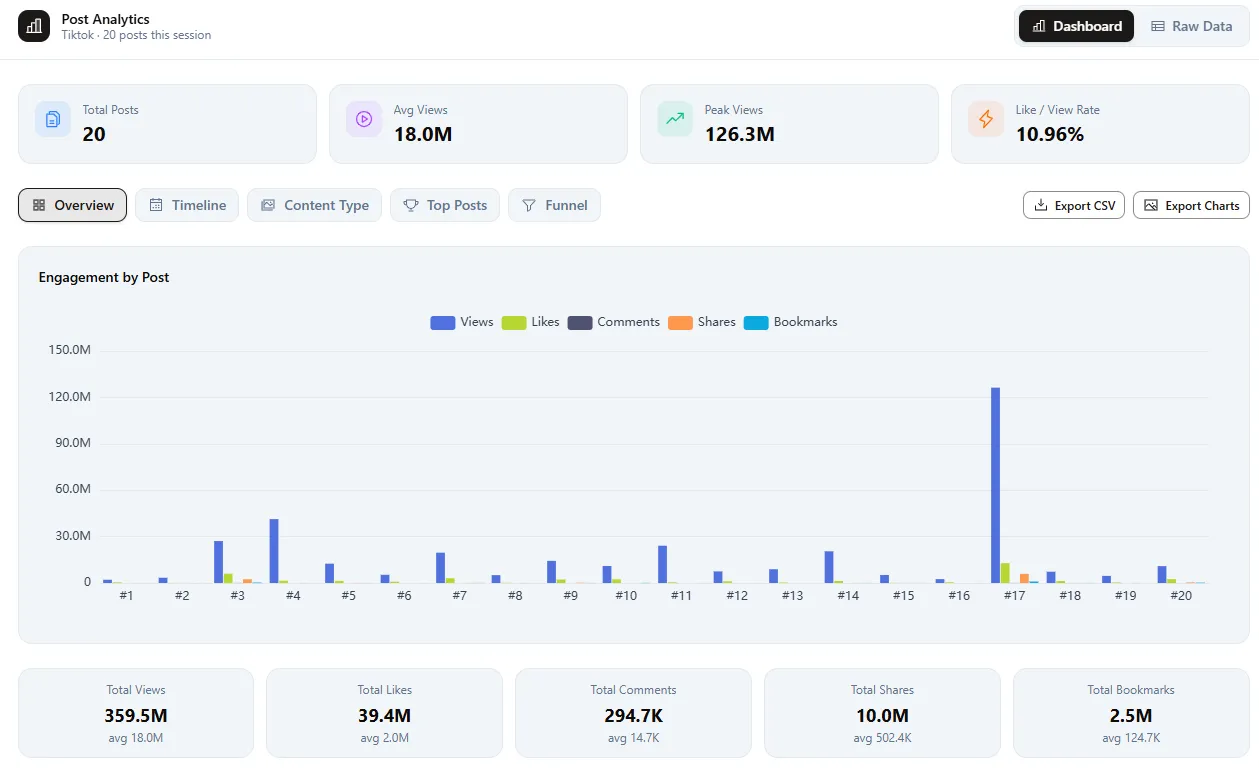
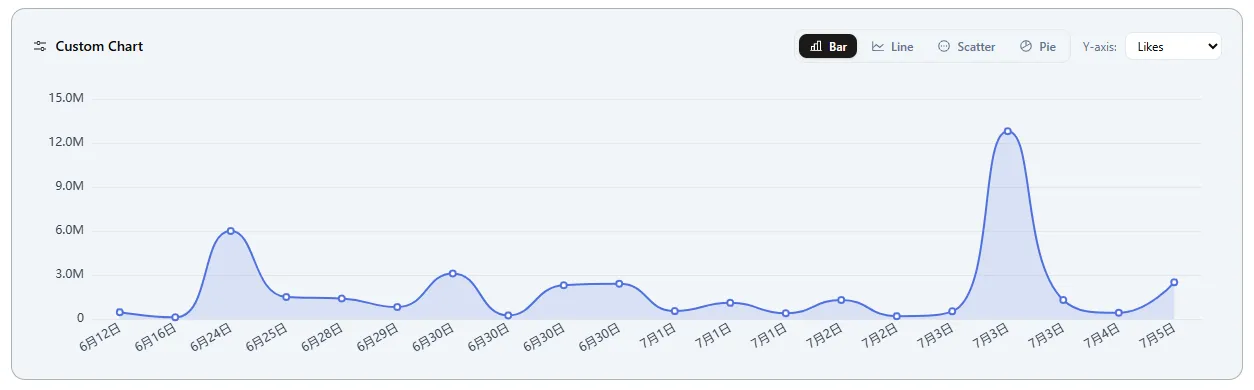
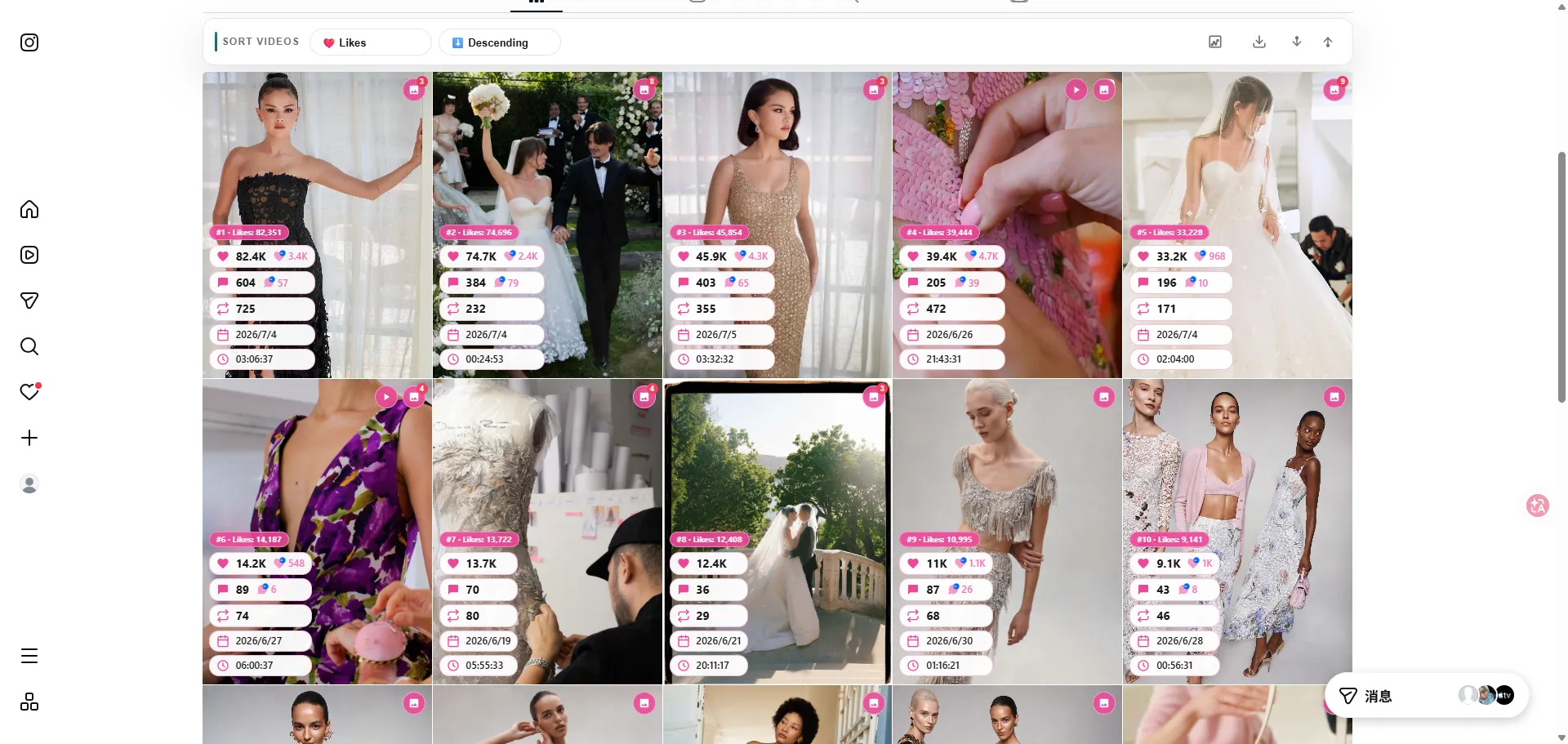
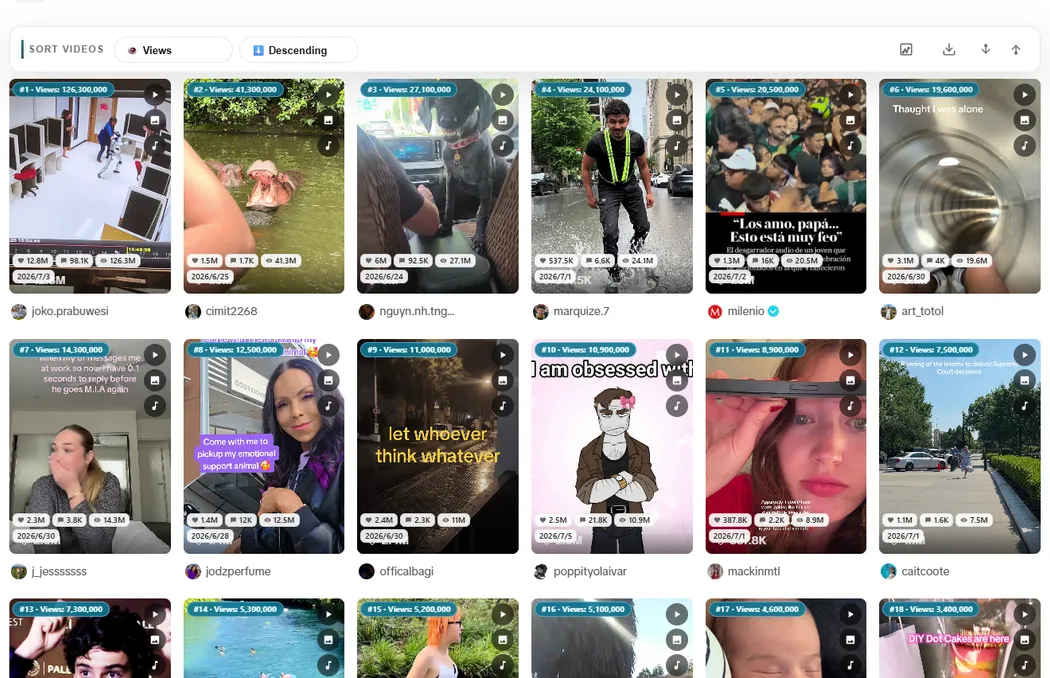
Use Sort Feed as your TikTok sorter, Instagram feed sorter, and Pinterest pin sorter: rank visible posts and pins by engagement or date, then export URLs, captions, and metrics.

Instagram + TikTok
CSV
Sort and export
01

Views

02

Likes

03

Comments

04

CSV

02 / download + export

Download winning posts

Save the posts you shortlist after sorting. Download videos or reels directly from supported TikTok and Instagram pages without switching tools.

Instagram + TikTok
Download winning posts
01

Download winning posts

One-click downloads

02

Download shortlisted posts from anywhere

Export-ready workflow

Built for supported pages
Supported Platforms

Built for supported pages

Run the same workflow across supported profile, search, saved, and discovery pages. Sort first, compare performance, then export or download the posts that matter.

Supported Platforms

Instagram

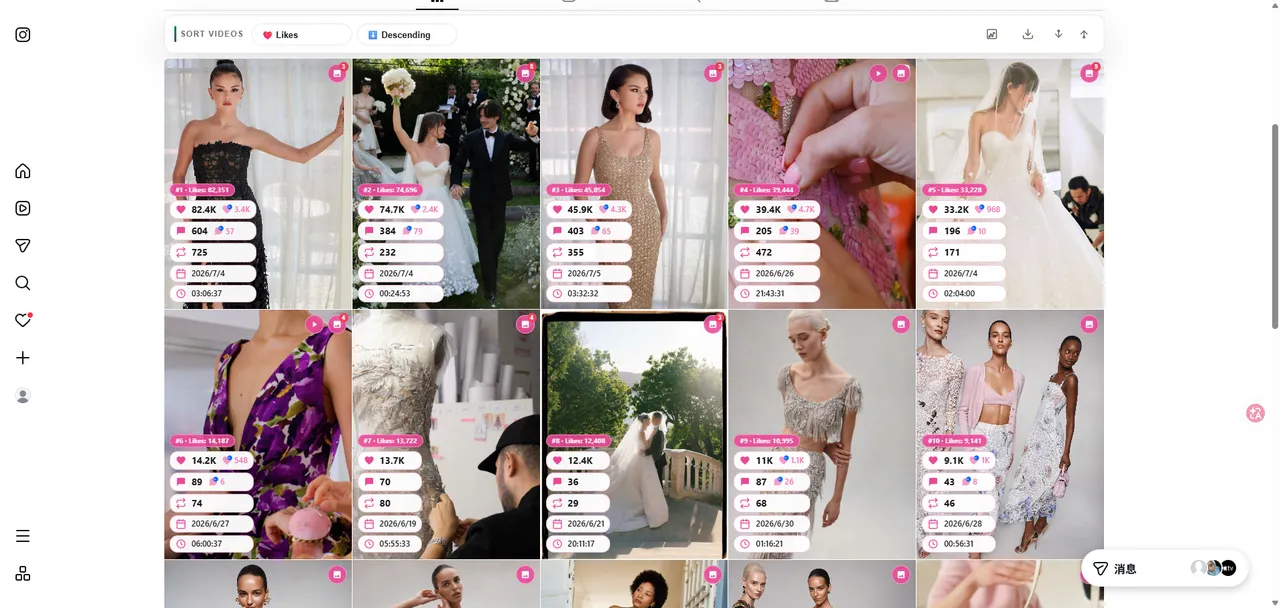
Sort posts and reels with clear metrics.

Use Sort Feed as your Instagram feed sorter to sort Instagram posts by likes, views, comments, or date. Export URLs, captions, and engagement metrics from the visible grid.

ReelsPostsViewsCSV Export

TikTok

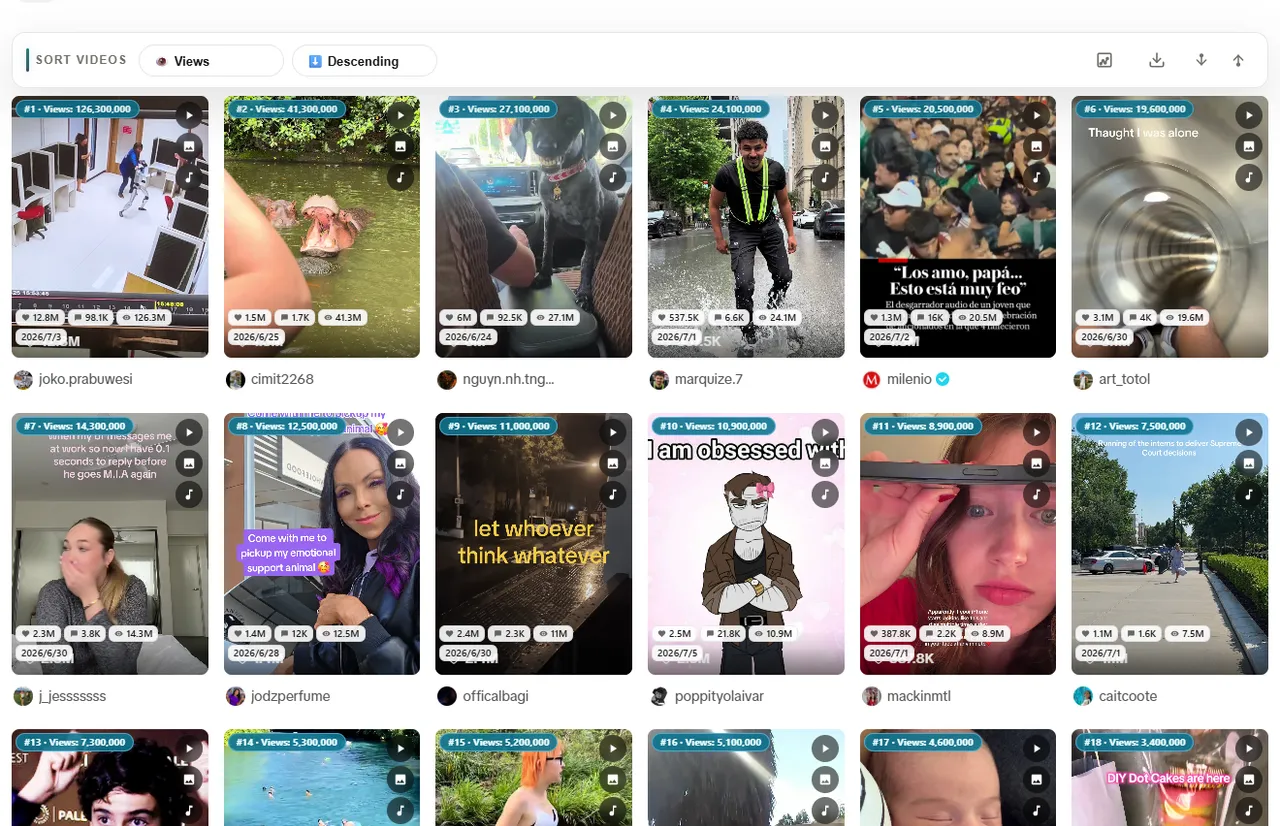
Rank videos and shortlist the winners.

Use Sort Feed as your TikTok sorter chrome extension to rank videos by views, likes, comments, or recency. Export structured metrics and download shortlisted videos in Chrome.

VideosProfilesViewsDownload

Pinterest

Sort pins and filter high-signal ideas.

Use the Pinterest sort extension to reorder pins by likes, saves, or recency on supported pinterest.com pages in Chrome. See the Pinterest pin sorter guide for workflows and FAQs.

PinsBoardsSavesResearch
Pinterest pin sorter

Download shortlisted posts from anywhere

After you sort reels or TikTok videos, download the winners from supported profile, search, saved, and discovery pages. A faster workflow for creators and social teams.

  • One-click downloads
  • Export-ready workflow
  • Works on supported pages
  • No extra apps needed
sortfeed_export.csv
URLViewsLikesCaption
instagram.com/p/...125K8.5K
tiktok.com/@...2.1M156K
instagram.com/reel/...89K4.2K
+ 247 more rows
CSV ready

Export sorted posts in bulk

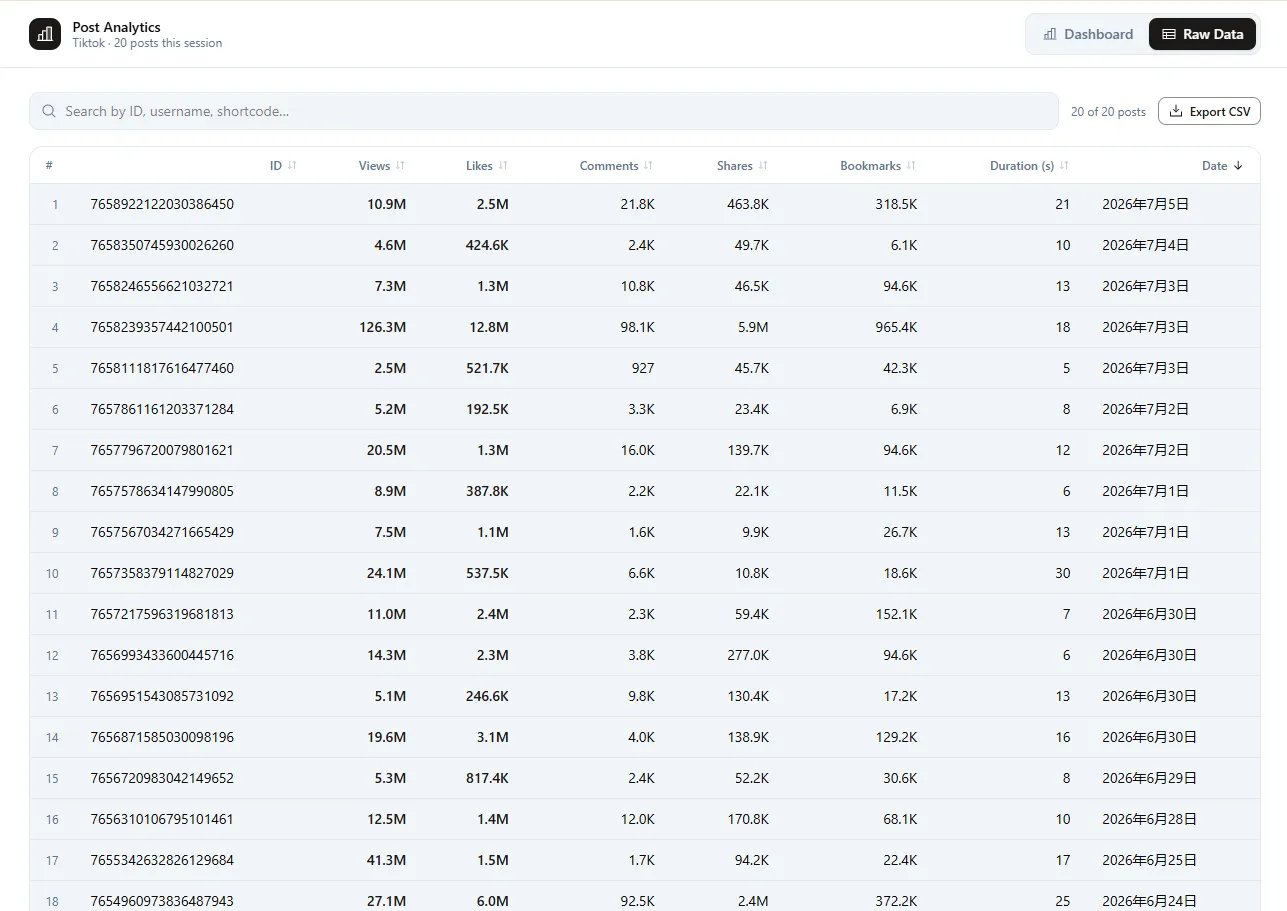
Select the posts you want after sorting and export URLs, dates, views, likes, comments, and captions into one spreadsheet. Built for audits, reporting, and viral research.

1

Sort by the metric that matters

Use Sort Feed to rank TikTok videos or Instagram posts by views, likes, comments, or date.

2

Select the winners

Pick the posts or reels you want to keep, report on, or download after sorting.

3

Export to spreadsheet

Download one CSV with URLs, captions, and performance metrics for the selected rows.

User reviews

Real feedback from social teams using Sort Feed workflows for TikTok, Instagram, and Pinterest.

Mia (Social lead)
★★★★★

Our team now sorts Instagram and TikTok posts by views and likes in minutes instead of hours. Sort Feed made weekly audits far more consistent.

Noah (Creator ops)
★★★★★

Pinterest sorting by saves helps us find high-signal ideas faster. The workflow is clear and works well for content planning.

Ethan (Analyst)
★★★★

Exporting selected rows after sorting keeps our reports clean. We only keep top-performing posts and avoid noisy data.

Grace (Brand strategist)
★★★★★

Sort Feed is the easiest Chrome extension we tested for sorting visible social posts. It is practical for competitor benchmarking and campaign reviews.

Liam (Performance marketer)
★★★★★

We use Sort Feed to compare TikTok videos by comments and recency, then export winners to CSV for reporting. It saves our team time every week.

Ava (Content manager)
★★★★

Being able to sort Instagram posts and Pinterest pins in one workflow improved collaboration between our social and analytics teams.

Get Started

Discover winning content. Free to use.

Completely freeNo credit card requiredChrome only
FAQ

Frequently Asked Questions