Instagram video downloader
Paste a public Instagram post or Reel URL to find its available video file. No Instagram account connection or password is required.
Public instagram.com Reel, post, and video links
Find the right Instagram posts first with Sort Feed
Saving one known Reel is easy. Finding the few posts worth saving is the slower part of content research. A profile can contain hundreds of posts with very different reach and engagement.
The Sort Feed Chrome extension ranks the Instagram posts visible in your browser by likes, comments, views, or date. That gives you a faster shortlist for creative analysis, reporting, downloads, and transcription.
Add Sort Feed to Chrome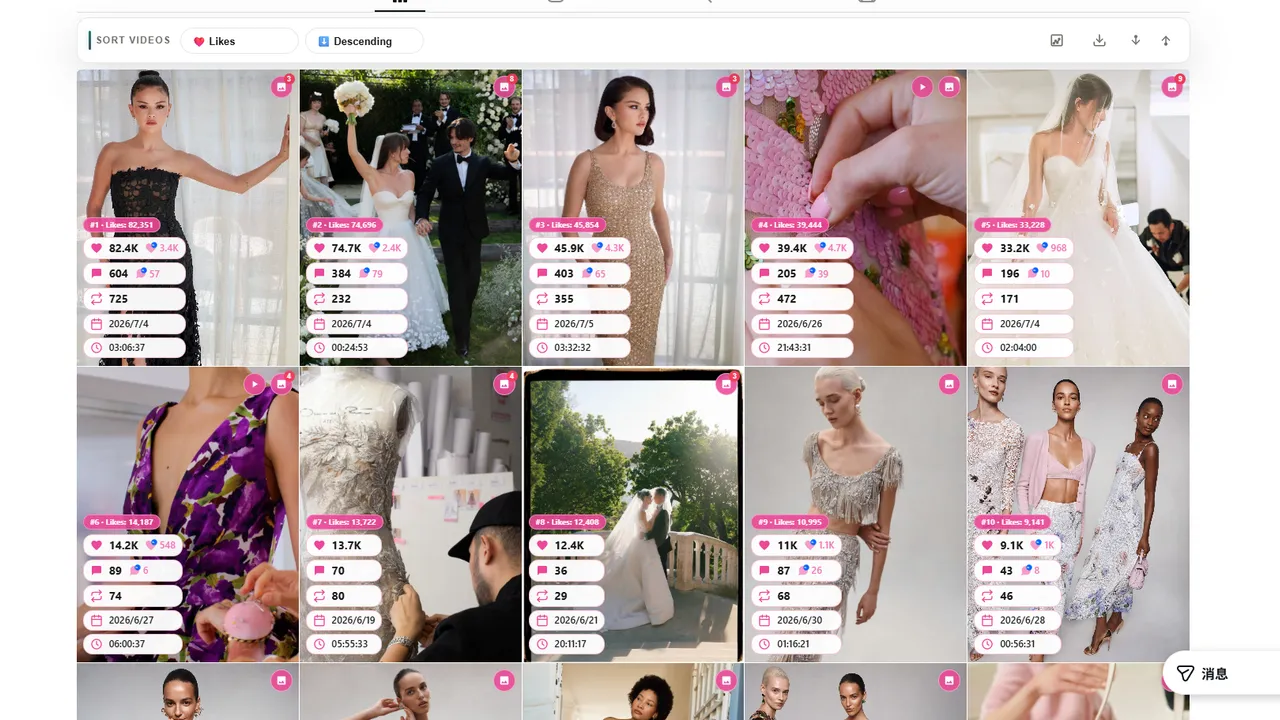

Reels and video posts need a post URL
Use an instagram.com/reel/... or instagram.com/p/... link that opens a public video post. Legacy /tv/ links may work when Instagram still exposes a complete video file. A profile or a photo-only post has no MP4 to return.
- 01
instagram.com/reel/SHORTCODE/ - 02
instagram.com/p/SHORTCODE/ - 03
instagram.com/tv/SHORTCODE/
Why an Instagram post may not return a video
Private or login-only posts cannot be opened by the public resolver. Instagram may expose only part of a carousel, so the tool returns one validated video source when available, not every item in the post.
How to download a public Instagram video
- 01
Copy the Instagram link
Open a public Reel or video post, choose the share menu, and copy its instagram.com URL.
- 02
Paste and resolve
Paste the link above. The edge service reads the public post or embed page and looks for its video source.
- 03
Download the video
Use the MP4 option returned for the post. The file is streamed to your browser without permanent storage.
Respect the creator and the rights attached to the video
Publicly viewable Instagram content can still be protected by copyright, privacy, music licensing, and platform terms. Download your own posts or obtain permission from the creator and other rights holders before reusing a video.
Instagram regularly changes its public page responses. If a public link fails, check that it opens while signed out, remove tracking parameters, and try the original post or Reel URL again.
Instagram video downloader FAQ
How do I download an Instagram Reel?
Copy the public Reel URL from Instagram, paste it into the downloader, select Find video, and use the MP4 download option returned for the post.
Can I download an Instagram video without logging in?
Yes, when Instagram exposes the video on a public post or embed page. Private, restricted, deleted, and login-only posts are not supported.
Does the downloader work with regular Instagram posts?
It supports public Reel, post, and legacy TV-style links when the page contains a video. Photo-only posts do not produce a video download.
Can it download carousel videos?
The downloader selects one complete, validated MP4 from the public post data. Instagram may not expose every carousel item to signed-out visitors.
Does Sort Feed retain my Instagram link or video?
The service temporarily processes the link and streams the selected file. It does not create a permanent media library or ask for Instagram credentials.
How does the Sort Feed extension help?
The extension ranks visible Instagram posts in desktop Chrome so you can identify high-performing content before downloading individual references.