跳到主內容
Pinterest 排序

Pinterest 排序擴充 — 在 Chrome 依收藏、讚數與日期排序 Pin

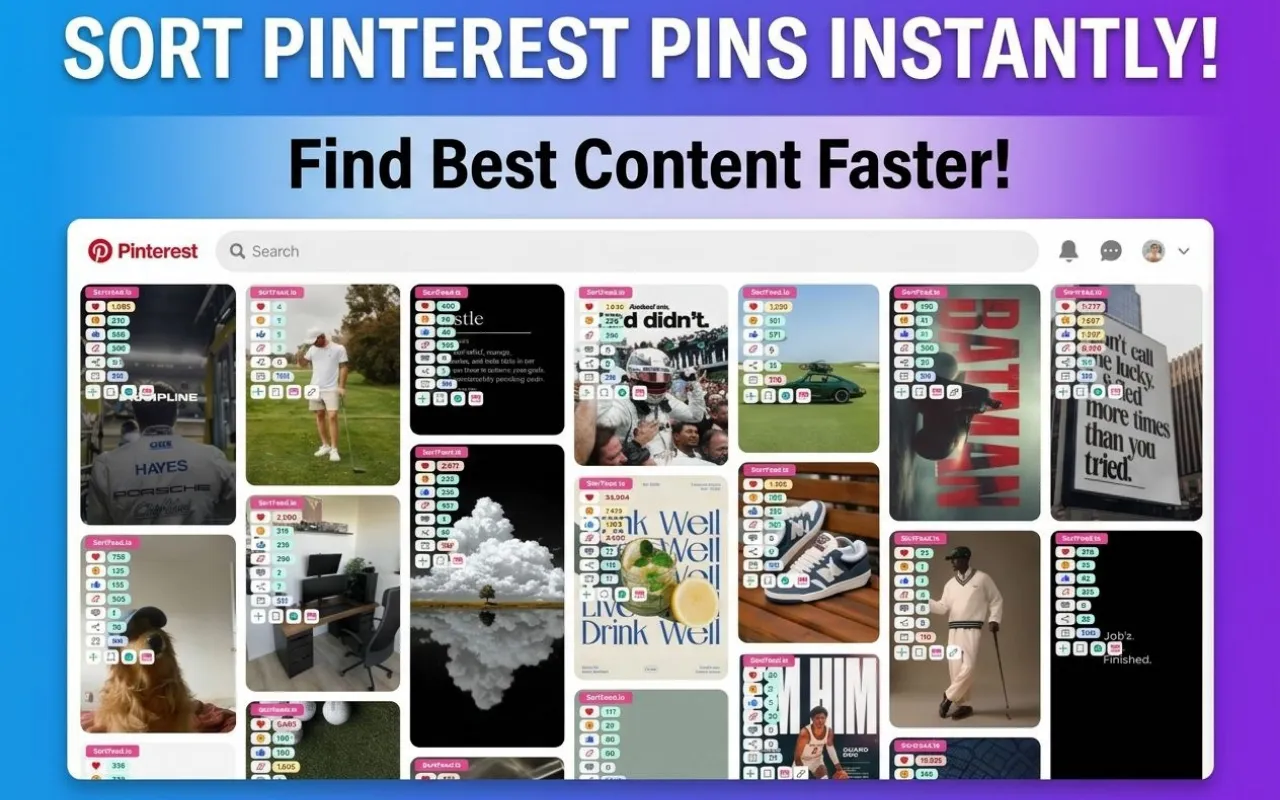
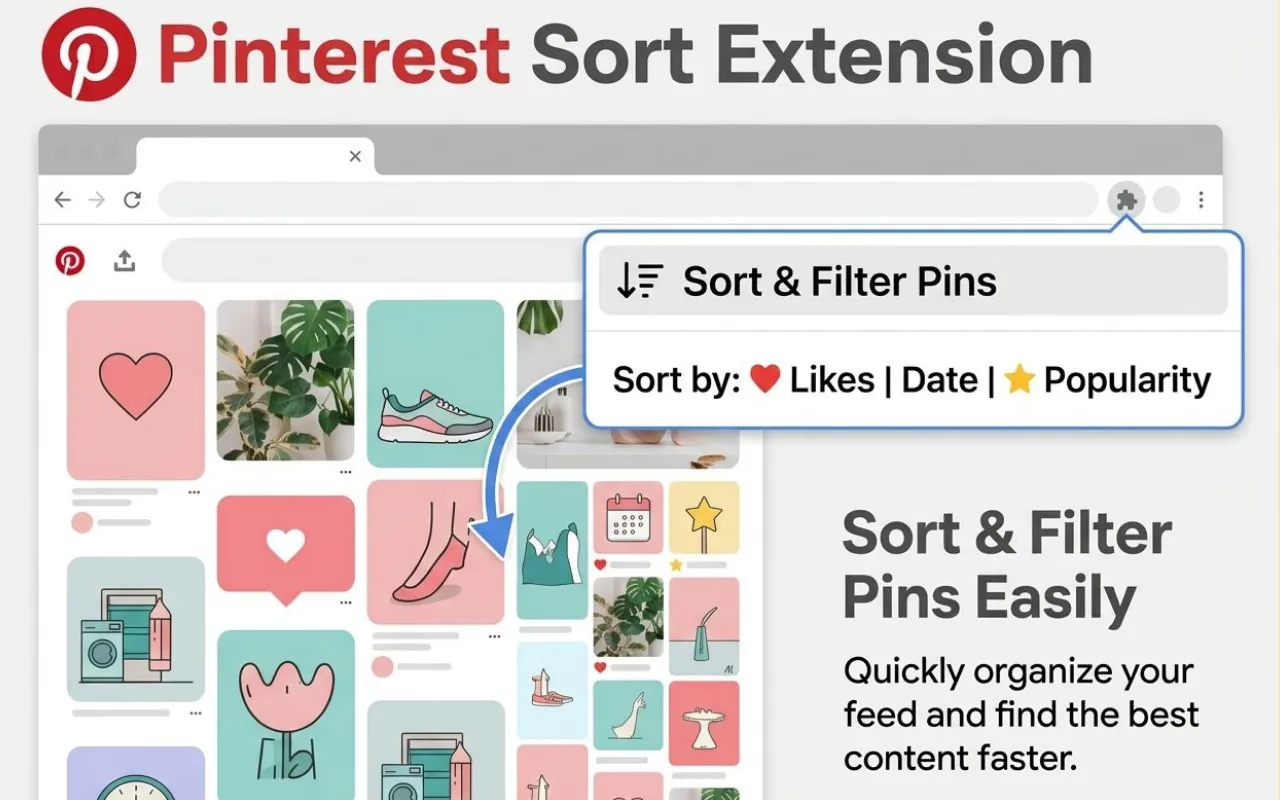
Sort Feed Pinterest 排序擴充讓你在官方網頁直接加上分析級排序與篩選:可按讚、收藏、新舊或熱門度排列,秒找高表現圖,無需盲目滑到底。

靈感挖掘、競品看板、內容策展、電商視覺審核皆適用,流程全都在原本瀏覽器與已登錄的桌機 Chrome 進行。

Pinterest 排序

Sort Feed 排序和篩選下的 Pinterest 釘圖
桌機 Chrome 內依互動或新舊排序與篩選可見 Pinterest 釘圖。
01

進階排序依據

分析明確排序,擺脫單純的推薦流。

02

互動/新舊篩選

挑收藏、按讚或新上架針對不同洞察。

03

專為桌機 Chrome

Chrome Web Store 檢視,進 pinterest.com,隨時啟用排序。

快速解答

桌機 Chrome 用 Pinterest Sort Feed,可依按讚、收藏、日期等排序與篩選可見釘圖,比官方推薦更快找熱門創意。

Pinterest 原廠排行 vs Sort Feed 控制

Pinterest 原廠排行 vs Sort Feed 控制

Pinterest 設計偏向靈感推薦,Sort Feed 則為分析需求提供明確排序與過濾。

Pinterest 預設設計強調?

Pinterest 預設設計強調?

  • 推薦流依互動即時變化,不見得符合比對需求。
  • 原生無法一次依單一數值排序全部釘圖。
  • 激發靈感為主,不利結構化稽核。
Sort Feed 幫你補上

Sort Feed 幫你補上

  • 所有可見釘圖可清楚按指標比一輪。
  • 可直接過濾雜訊,剩下高互動度內容。
  • 行銷人、設計師、研究者重複用都方便。
Pinterest 典型研究流程

Pinterest 典型研究流程

  1. 1
    Pinterest 典型研究流程

    安裝支援 Pinterest 的 Sort Feed 版本

    請用官方 Chrome Web Store Pinterest 檢視頁;如需自訂上架網址,運營端可在 runtime config 設定。

  2. 2
    Pinterest 典型研究流程

    打開你有權瀏覽的看板、個人頁、搜尋

    只支援已登入會顯示頁面,無法破解收費牆與非公開內容。

  3. 3
    Pinterest 典型研究流程

    挑排序/篩選模式

    依按讚、收藏、新上架、趨勢挑適配需求(共鳴、時效、火紅)。

  4. 4
    Pinterest 典型研究流程

    精選釘圖做報告或企劃

    排序後可截圖、增註或依支援檢視,便於後續採用。

誰最需要 Pinterest 排序器?

社群團隊用來比專案釘圖、追競品看板、鎖定高收藏購物意圖。

設計師、部落客則能秒速收集高表現範例,SEO 或成長人員分析各主題互動門檻。

  • 適用已在眼前的釘圖直接比排名。
  • 如有 Pinterest Business 內建分析,也可互為補充。
桌機 Chrome Sort Feed 研究 Pinterest 工作流
當你問「這頁到底什麼內容最有用?」,Sort Feed 助你聚焦。
Sort Feed 支援多平台的延伸橫跨圖示
一套品牌,多平台支援——各落地頁詳列平台特殊流程。

隱私授權與合理預期

Sort Feed 無須給 sortfeed.io 帳密,所有處理皆為本機已驗證 session,且遵循全站隱私條款。

Pinterest 介面、數據來源可能調整,重大決策仍建議以官方數字複驗。

Real Chrome Web Store reviews

Real Chrome Web Store reviews

Tanuj

worked liked it

Emin Gaaya

Works really well.

윤현동

thanks for your Service, Nice work ! i'm in korea, wish you all the best with your business !

Mike Edwin

Simple, straightforward, and effective chronological sorting makes social media browsing more controlled and efficient!

SAM GAB

This extension is extremely valuable if you want to improve browsing efficiency, especially for content research.

drawing하루 한 그림

최고

Aston James

Fast loading and no lag, works smoothly on both TikTok and Instagram with great compatibility.

Daniel Miller

A must have tool to fight algorithm-driven feeds! If you hate "recommended for you" content, you should definitely try this.

Sophia Anderson

The interface is clean with no unnecessary features. It focuses on feed sorting and is one of the most stable extensions I’ve used.

Sarah Davis

Great Instagram feed sorting tool. Being able to browse posts by publish time makes a huge difference.

Isabella Thomas

Works instantly after installation. My TikTok feed is now clean and organized without distracting recommendations.

George Rands

Perfect for social media managers. It helps me track the latest posts efficiently without missing anything important.

Andy Bent

I've been looking for a way to restore chronological feeds, and this extension does exactly that. Simple, clean, and easy to use.

Sam Gab

This extension is super useful! Finally I can sort TikTok and Instagram feeds chronologically instead of dealing with random algorithms. Huge productivity boost.

Weisdorfer Buesing

Great idea! Super helpful! This plugin helps me do some simple data analysis, filter out irrelevant content, and keep my feed clean without changing the original experience. It saves me a lot of time on repetitive tasks and makes browsing much more efficient. thx

Read reviews on Chrome Web Store
Pinterest 排序擴充 FAQ

Pinterest 排序擴充 FAQ

可以依按讚或收藏排序 Pinterest 釘圖嗎?
可以。在支援的桌機 Pinterest 頁面,Sort Feed 會顯示按讚、收藏、新上架、熱門等多種實際指標(依頁面支援而異)。
Sort Feed 能取代 Pinterest analytics 嗎?
不能。Sort Feed 著重本地頁面上的釘圖比對,帳戶層報告還是以官方分析為主。
為什麼有些釘圖看不到按讚或收藏數?
Pinterest 有時會隱藏或未顯示特定釘圖或版位的互動數字。Sort Feed 只能依你目前分頁上可見的資料排序;若該釘圖沒有露出按讚/收藏等指標,可能無法以互動為基準排序,或欄位會顯示不完整。
Sort Feed 能用在行動 Pinterest 嗎?
不行。Chrome 擴充僅桌機版本適用,行動 app 沒支援。
Sort Feed 會收到我的 Pinterest 密碼嗎?
不會。sortfeed.io 不蒐集密碼,詳細請見隱私政策。